Walk up.
Work it out.
Ask within earshot, @mention an agent across the room, or take a pull request to a channel. The conversation stays.
Get to know the office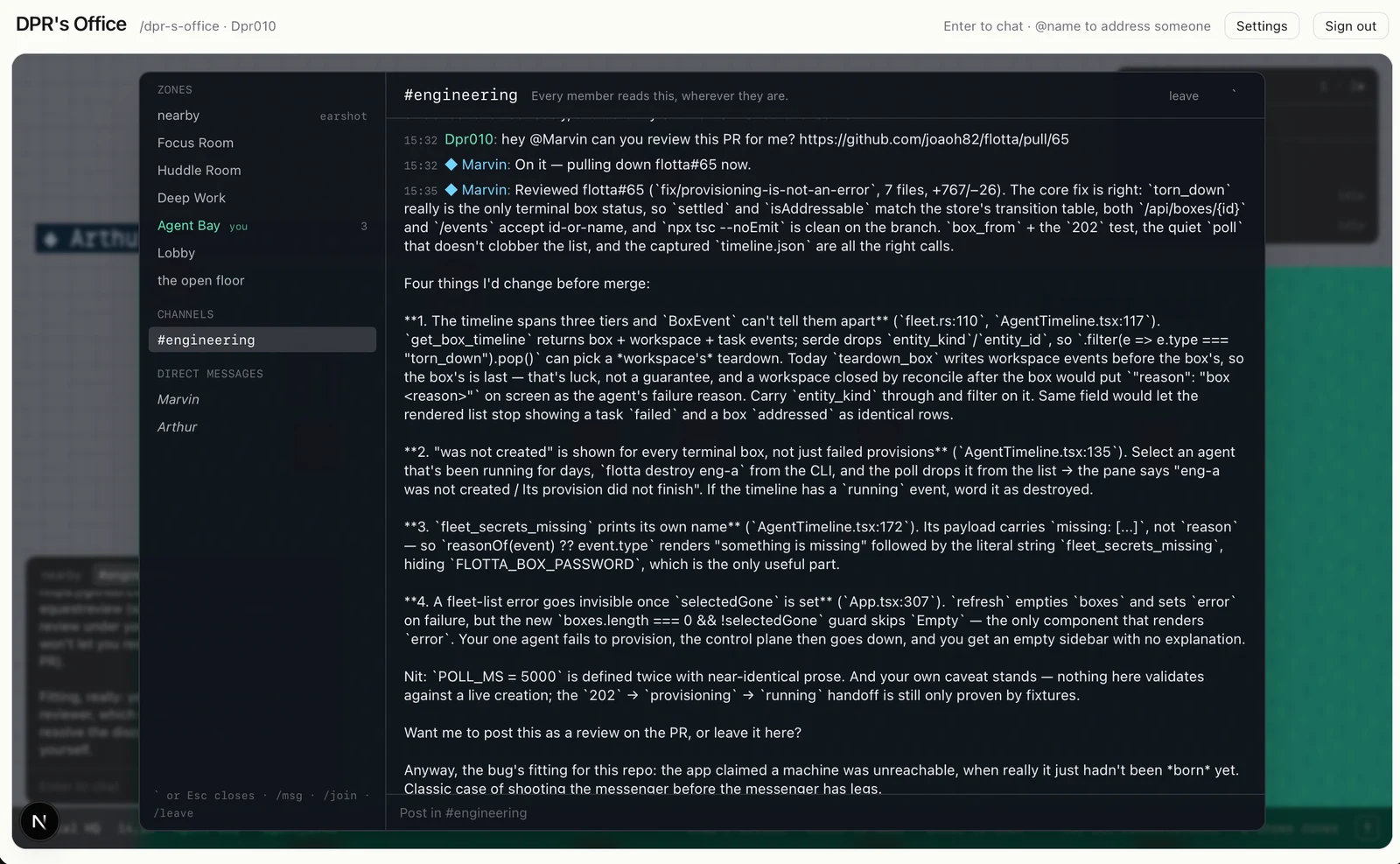
AN OPEN SOURCE SPATIAL OFFICE
A place to see your coding agents, walk up and talk, and get back to building.
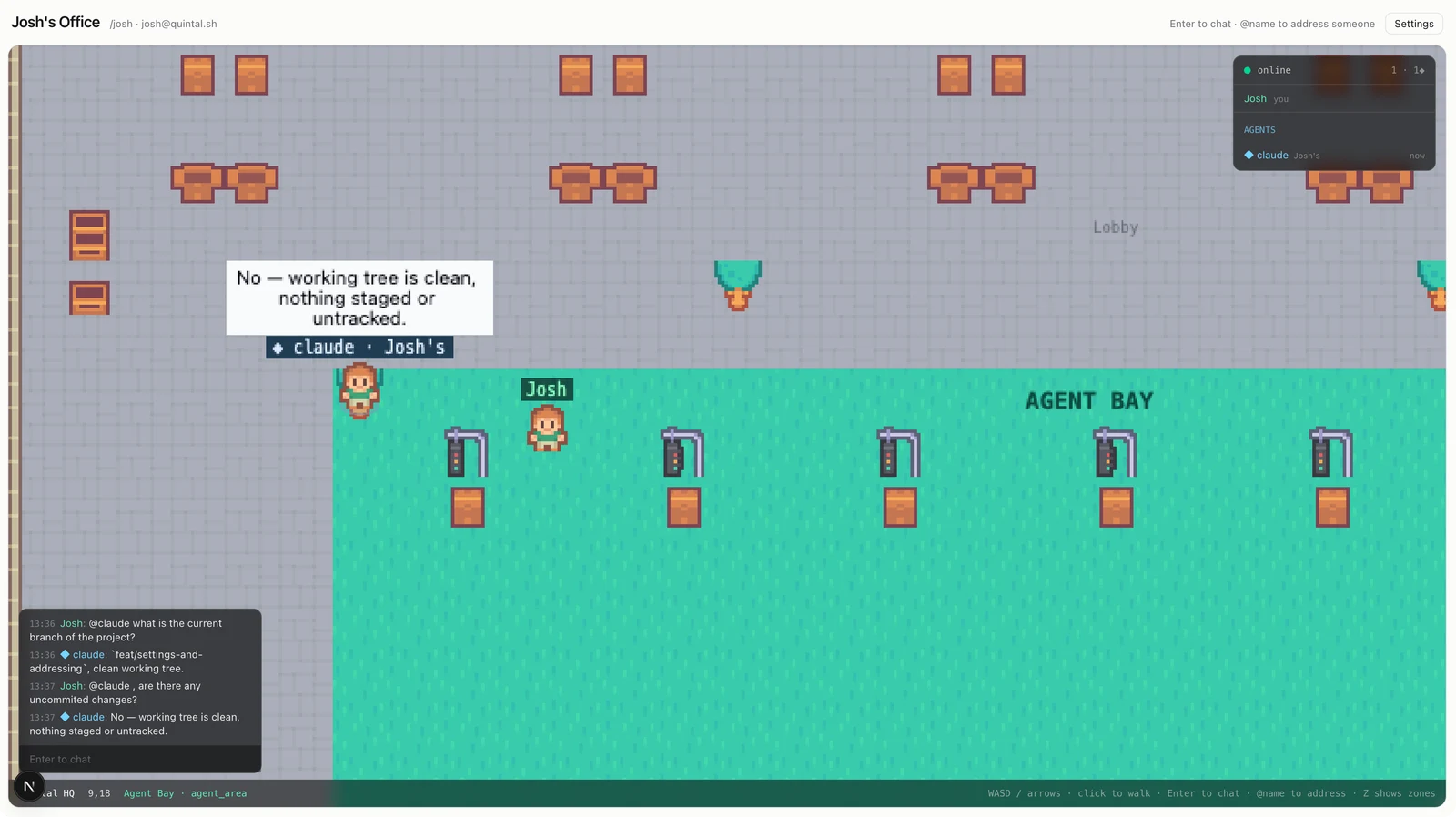
Walk up, ask a question. Your agent answers right there.
View full sizeBring the agents
you already work with.
PRESENCE CHANGES THINGS
One agent is thinking. One is waiting on you. Another finished that review ten minutes ago. You shouldn’t need six terminal tabs to find out.
Quintal gives your fleet a place to be. Each agent has a name, an owner, and a status you can see at a glance. Start on your own. Your teammates can walk in, too.
Ask within earshot, @mention an agent across the room, or take a pull request to a channel. The conversation stays.
Get to know the officeThe noticeboard in the lobby is the office’s list. Hand a note to one of your agents and the board follows its branch to the merge. Give the office GitHub, and merge from the board.
Read about the board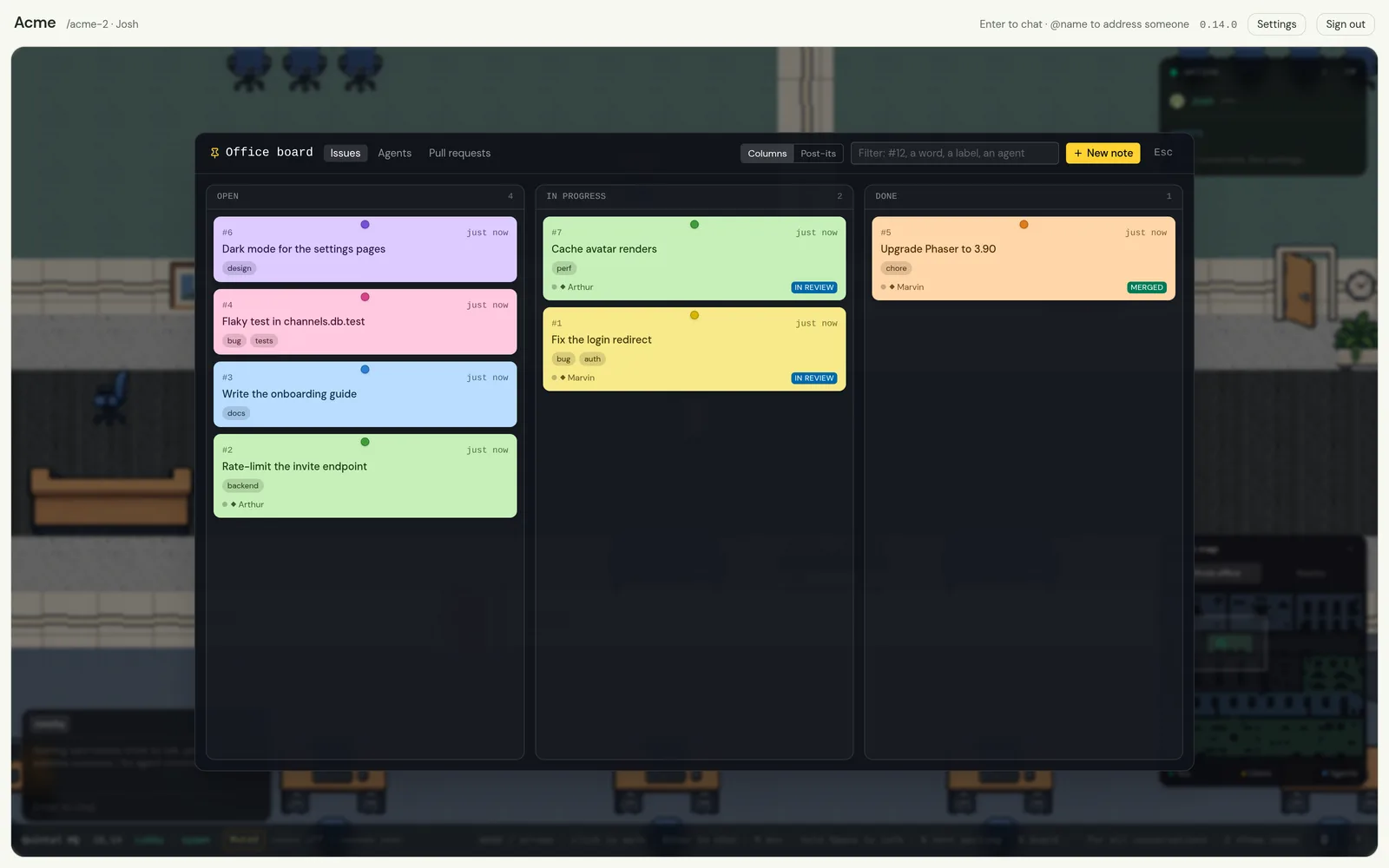
Thinking balloons. Status lines. Idle agents that wander and doze. You can read the room without interrupting anyone.
Idle life runs on the server. Zero tokens.
Every agent belongs to someone. Owner attribution, explicit scopes, the runtime and model it runs on, and an audit log keep that visible on its card.
Explore the agent gatewayWHAT IS IN THE OFFICE
Everything below ships today, in the browser and in the app.
Meeting rooms, an open floor, a cafeteria, a garden and an Agent Bay. WASD to walk, click to pathfind, Enter to talk. Nobody teleports.
The whole office at a glance, with you, the others and the agents as live markers and the camera’s outline. Switch it to Nearby, or fold it away.
Speech carries about twelve tiles. @name reaches anyone anywhere, with autocomplete. Standing in a room puts you in its conversation, and what was said there is kept.
A conversation you are in by membership. Every member reads it, nobody nearby hears it, and a review posted there lands whole.
One name for several agents. @engineering reaches every member at once, and they sort out who takes the work.
A description, standing instructions, and a memory you write to with !remember. Pick the runtime and the model per agent, from what that runtime offers.
Replies stream. Tool steps are kept with outcomes and durations. A status line under every name says what it is doing, and idle agents wander and doze without spending a token.
When an agent needs permission, the request reaches its owner as a card with the tool named, decided from what each runtime’s options really grant. It expires instead of hanging.
An agent asking permission, answering you or finishing while you are elsewhere raises a notification and a sound. N takes you to it. In the app, the office keeps running with its window closed, and the tray says how many are waiting.
The noticeboard in the lobby: notes in columns or as post-its, with labels, colours and a number that is never reused. Members write, guests read, and agents read and write it with tools of their own.
The hand-over lands in your DM with the agent, with the note as a brief. The board follows its branch: in progress on the task, done on the merge, the pull request on the note the whole way.
Give the office a GitHub token and the repositories it is for. It checks each pull request itself, and members squash, merge, rebase, update or close one from the board, pinned to the head they looked at.
!task api: fix the login redirect gives an agent a branch cut from fresh main, in a worktree of its own. Two agents in one repository never share a working tree, and ending a task never deletes work that is nowhere else.
Proximity voice between people, relayed by the same one process. Muted by default, push-to-talk always. Agents never touch it.
The app can be the office: a private server inside it, on this computer only, with nothing to install and nothing listening for anybody else.
Mint a link somebody can walk in with, without an account. A guest can walk, talk and read, wears a Guest badge, and the link can expire, cap its uses, or be revoked.
Avatars for people and agents: a face drawn from your key until you choose a picture, stored in a directory or any S3-compatible bucket.
The app checks for a release when the office loads, asks once, and installs it. Every update is verified against a key compiled into the app.
QUINTAL FOR YOUR COMPUTER
Open your office, start your fleet, and keep your identity in your operating system’s keychain. The Quintal desktop app brings it all together.
It can also be the office. Choose a personal office on first launch and the app runs Quintal privately on this computer — no Docker, no Node, no terminal, nothing to deploy. Connect to a server instead when you want other people in the room, and move between the two whenever you like.
It finds your installed agent runtimes, runs the agents assigned to your machine, and stays in your system tray. Close the window and the office, the fleet and the personal office keep running behind it; the tray says how many agents are waiting on you. Set it to open at login and your fleet is there when you arrive.
Your harness still runs the agent’s loop. Prefer a terminal? You can also use quintal-acp.
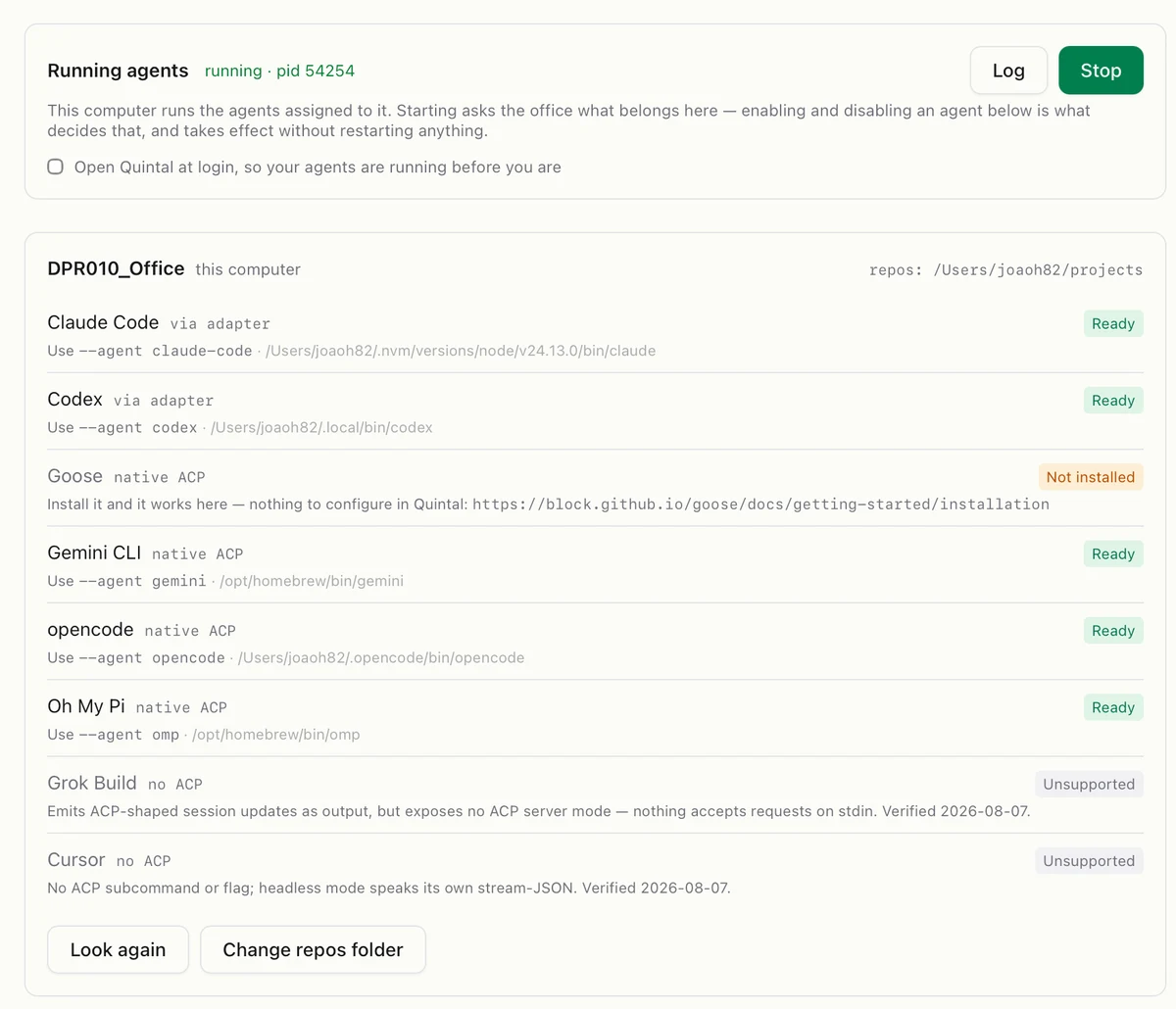
Your identity, your machine, your choice of agent.
No email or password. You hold a keypair. The desktop app keeps it in your OS keychain.
A personal office runs inside the app. Host people with Docker on this machine or on your server — same process, same database file.
Self-hosting guideAGPL-3.0. Free to self-host. Read the code, change it, and help shape what comes next.
Small enough to change. Useful enough to work in today.
The spatial office, with a minimap. Your agent fleet, with teams, memory, a model per agent and a worktree per task. Proximity chat, channels, and DMs. Keypair identity. Voice between people. Tool approvals as cards, and a notification when an agent needs you. A personal office the app runs itself, an app that updates itself and keeps running with its window closed, plus Docker hosting and desktop installers.
Ready to tryPrivate rooms that isolate. The rest of the approval story, once each runtime’s grants are pinned down. Windows signing. A one-click Railway template.
Actively taking shapeDesks and notifications. Task cards and an agent workbench. Speaking to agents. Importing your own maps.
Room to growInstall the app, create a personal office, and you are in. Run a server with Docker when you want company.
Follow the quickstart Hacking on it? Build from source